You're answering the same questions. Again. WiFi password. Check-in time. Where to park. How the coffee machine works.
Every guest asks. You answer. Every. Single. Time.
You didn't become an Airbnb host to spend 2-3 hours a day typing messages. You did it for the income, the flexibility, maybe the satisfaction of creating great stays.
Here's the reality: 90% of guest messages are the same 15 questions. And if you learn how to automate Airbnb messages properly, you can handle that 90% without lifting a finger.
Not with robotic, cold automation that makes guests feel like they're talking to a call center. Smart automation that feels personal, responds instantly, and only bothers you when it actually needs a human.
This guide walks you through exactly how to automate Airbnb messages — from basic scheduled messages to full AI-powered guest communication. Whether you have 1 listing or 20, you'll leave with a system that saves hours every week.
Let's build it.
Why Automate Airbnb Messages? 📊
Before we dive into the how, let's establish the why — because if you're skeptical about automation, you're not alone.
Time savings are obvious. Average hosts spend 2-3 hours daily on messages. That's 14-21 hours per week. Automate 80% of it, and you're getting back 11-17 hours.
But the benefits go deeper:
Faster response times. Airbnb's algorithm favors hosts who respond within an hour. Automated messages respond in seconds, even when you're asleep, eating dinner, or actually enjoying your weekend. Better response rate = better search ranking = more bookings.
Fewer missed messages. You're juggling reservations, cleanings, maintenance, and real life. Messages fall through the cracks. Automation doesn't forget to send check-in instructions or checkout reminders.
Consistent guest experience. Every guest gets the same quality information at the same time. No more "I forgot to send the WiFi password" or realizing you never sent neighborhood recommendations.
Scalability. Managing 1-2 properties manually? Doable. Managing 5+? You're either hiring help or drowning in messages. Airbnb automated messages let you scale without proportionally scaling your workload.
Better reviews. Fast, helpful communication directly impacts reviews. Guests love instant answers. They love proactive check-in instructions. They love feeling taken care of. Automation delivers all three consistently.
The hosts who resist automation usually say: "But I want to be personal!"
Great news. The best automation IS personal. It just doesn't require you to manually type "WiFi password is Guest2026!" 300 times a year.
What Can (And Should) You Automate? ⚙️
Not all messages are automation candidates. Here's what works and what doesn't.
✅ Perfect for Automation
Pre-booking responses. When someone inquires about dates or asks basic questions answered in your listing, automated responses handle it instantly. You can escalate to manual if they ask something unique.
Booking confirmations. Immediate "thanks for booking, here's what happens next" message. Sets expectations, prevents anxiety, shows you're on top of it.
Pre-arrival information. Sent 48 hours before check-in with address, parking, local tips. Guests need this information at a specific time — perfect automation candidate.
Check-in instructions. Access codes, WiFi, house rules, emergency contacts. Same information for every guest, timing-dependent, high stakes if forgotten. Automate it.
Mid-stay check-ins. "How's everything going?" message on day 2-3. Catches problems early, shows you care, doesn't require you to remember.
Checkout reminders. Day-before and morning-of reminders about checkout time and procedures. Reduces late checkouts and confusion.
Review requests. Sent 24 hours after checkout. Timing matters for review conversion. Automation never forgets.
Common questions. WiFi password, local recommendations, how appliances work, checkout time. If you've answered it 10+ times, automate it.
❌ Don't Automate
Complex complaints. Guest says the heat isn't working? You need to personally respond, immediately.
Damage situations. Requires nuance, photos, negotiation. Human-only territory.
Special requests. Early check-in, extra guests, pet exceptions. These need judgment calls.
Unique questions. "Is there a good running route nearby that avoids traffic?" Automation can't handle this well. You can.
Personal relationship building. Chatting about their trip, bonding over shared interests, making a guest feel seen. This is the 20% that justifies your existence as a host.
The rule: Automate the repetitive, personalize the exceptions.
Method 1: Airbnb's Built-In Scheduled Messages 📅
Let's start with the simplest option — Airbnb's native scheduled messages. Free, built into the platform, requires zero third-party tools.
How to Set Up Airbnb Scheduled Messages
Step 1: Log into your Airbnb host account on desktop (mobile app doesn't support this)
Step 2: Go to Menu → Inbox → Scheduled Messages (or navigate to airbnb.com/hosting/inbox/scheduled_messages)
Step 3: Click Create New Rule
Step 4: Configure your trigger
Choose when the message sends:
- After booking confirmed
- Before check-in (X hours/days)
- After check-in
- Before checkout
- After checkout
Step 5: Write your message
Use Airbnb's merge tags to personalize:
- {{first_name}} — guest's first name
- {{check_in_date}} — their check-in date
- {{check_out_date}} — their checkout date
- {{confirmation_code}} — booking confirmation code
Step 6: Preview and activate
Airbnb shows you exactly when the message will send based on a sample booking. Review it, make sure timing works, activate.
Example: Pre-Arrival Instructions
Trigger: 2 days before check-in
Subject: Your stay at [Property Name] — Everything you need to know
Message:
Hi {{first_name}},
Your check-in is almost here! I'm excited to host you from {{check_in_date}} to {{check_out_date}}.
Address:
[Full address]
[Google Maps link]Parking:
[Your parking instructions]Check-in time:
After 3:00 PMI'll send access codes the morning of your arrival. In the meantime, let me know if you have any questions!
Looking forward to welcoming you,
[Your Name]
Limitations of Airbnb's System
Airbnb's scheduled messages work. They'll save you time. But they have serious limitations:
No conditional logic. You can't send different messages to families vs. business travelers. Everyone gets the same message.
Limited triggers. You get 5-6 timing options. That's it. No "send this after guest asks about WiFi" or "send restaurant recommendations if they mention food."
No AI responses. Scheduled messages are one-way broadcasts. They don't respond to guest questions intelligently.
Basic personalization. Merge tags are helpful but surface-level. You can't reference their home city, trip purpose, or previous stays.
No learning. The system never gets smarter. It sends the exact same message to the 100th guest as the 1st.
For 1-2 properties with straightforward hosting, Airbnb's system might be enough. For anything more complex, you'll hit the ceiling fast.
Method 2: Third-Party Automation Tools (Zapier, IFTTT) 🔧
If Airbnb's built-in tools feel limiting, third-party automation platforms open up more possibilities.
Using Zapier for Airbnb Auto Reply
Zapier connects Airbnb to thousands of other apps. You can create "Zaps" (automations) that trigger actions based on Airbnb events.
Example workflow:
Trigger: New Airbnb booking
Action 1: Add guest to Google Sheets
Action 2: Send confirmation email via Gmail
Action 3: Create calendar event
Action 4: Send Slack notification to cleaning team
How to set it up:
Step 1: Create Zapier account (free tier available, paid plans for more complexity)
Step 2: Connect Airbnb account
Note: Zapier doesn't have direct Airbnb integration anymore (Airbnb restricted API access). Workaround: use email parsing. Set up a dedicated email for Airbnb notifications (like airbnb@yourdomain.com), forward Airbnb emails there, and use Zapier's Email Parser.
Step 3: Build your Zap
Trigger: Email Parser catches "New booking" email from Airbnb
Extract: Guest name, check-in date, property
Action: Send template email via Gmail/Mailchimp
Step 4: Test and activate
Pros and Cons
Pros:
- More flexibility than Airbnb's native tools
- Can integrate with your full tech stack (calendar, CRM, team communication)
- Good for workflow automation beyond just messages
Cons:
- Steep learning curve if you're not technical
- Airbnb's API restrictions make setup hacky (email parsing is fragile)
- Costs add up quickly with paid plans ($20-50/month)
- Still not intelligent — it's rule-based, not AI
Verdict: Great if you're already using Zapier for business automation and want Airbnb to fit into that ecosystem. Overkill if you just want smarter guest messaging.
Method 3: AI-Powered Guest Messaging 🤖
This is where automation gets smart.
AI-powered tools like HolaAI don't just send scheduled messages. They understand context, respond to questions dynamically, learn from interactions, and handle the majority of guest communication end-to-end.
Think less "robotic scheduled messages" and more "virtual co-host who handles the boring stuff."
How AI Automation Works
1. Integration
Connect your Airbnb account (and other booking platforms — VRBO, Booking.com, direct bookings). The system syncs guest data, reservations, messages in real-time.
2. Knowledge Base Setup
You teach the AI about your property once:
- WiFi credentials
- Access instructions
- House rules
- Local recommendations
- Common Q&A (coffee maker, parking, checkout, etc.)
You can start with templates and customize. Takes 10-15 minutes per property.
3. Message Templates
Set up template messages for standard touchpoints:
- Booking confirmation
- Pre-arrival (48 hours before)
- Check-in instructions (morning of)
- Welcome message (after check-in)
- Mid-stay check (day 2-3)
- Checkout reminder
- Thank you + review request
The AI personalizes these automatically based on guest data (name, dates, stay length, group type).
4. Intelligent Q&A
When a guest asks a question, the AI:
- Understands the question (even if phrased oddly)
- Searches your knowledge base for the answer
- Responds instantly in natural language
- Escalates to you if it's outside its knowledge
Example:
Guest: "hey what's the wifi"
AI: "Hi Sarah! WiFi network is 'Casa Linda Guest' and password is BlueSky2026. Also printed on the card in the living room. Let me know if you have trouble connecting!"
Guest: "how do I make the heat work"
AI: "The thermostat is on the wall in the hallway (right side as you enter). Press the up arrow to increase temperature. It takes about 10 minutes to warm up. Aim for 21-22°C for comfort. Need help troubleshooting?"
Guest: "is there a good sushi place nearby"
AI: "Absolutely! Sakura Sushi is 5 minutes away (Calle Marina 18) — fresh fish, great vibe. For something fancier, try Kampai downtown (10 min drive). Want me to send you the Google Maps links?"
5. Smart Escalation
The AI knows what it can't handle:
- Maintenance issues (broken shower, no heat)
- Complaints
- Special requests (early check-in, extra guests)
- Anything requiring judgment
When these come up, you get an instant notification. The AI tells the guest "I've notified [Your Name], they'll respond shortly" and hands off.
You're not replacing yourself. You're filtering out the 80% of messages that don't need you.
What Makes AI Automation Different from Scheduled Messages
Context awareness. Scheduled message: "Check-in is at 3pm." AI message: "Hi John! I see you're flying in from New York. If you land early, feel free to drop bags and explore — here are the best lunch spots within 5 minutes."
24/7 instant response. Guest asks about WiFi at 2am. Scheduled messages can't help. AI responds in 10 seconds.
Learns your voice. You train it on how you talk. Casual? Professional? Funny? The AI matches your tone.
Multi-language support. Guest messages in Spanish, French, German? AI responds in their language automatically.
Reduces notification fatigue. Instead of getting pinged for "what's the wifi?" you only get pinged for "the shower is broken."
Adapts to guest type. Families get kid-friendly recommendations. Business travelers get workspace details and quick food. Couples get romantic spots. Same knowledge base, personalized delivery.
Step-by-Step: Set Up Airbnb Automated Messages (The Smart Way) 🚀
Let's walk through setting up AI automation from scratch using HolaAI as the example. Process is similar with other AI tools (Hostaway, Hospitable, Guesty).
Step 1: Create Account & Connect Airbnb
Sign up at HolaAI and authorize Airbnb access. The platform syncs your listings, reservations, and message inbox. Takes about 2 minutes.
Step 2: Build Your Property Knowledge Base
For each property, answer these prompts:
Access & Basics:
- What's the address?
- How do guests get in? (lockbox code, smart lock, meet in person)
- Where do they park?
- What's the WiFi network and password?
House Essentials:
- How do appliances work? (coffee maker, TV, thermostat, dishwasher)
- Where are extra towels/linens?
- Trash/recycling instructions?
- Quiet hours?
Local Recommendations:
- Best coffee shops (walking distance)
- Restaurant recommendations (casual, mid-range, fancy)
- Grocery stores
- Things to do (families, couples, solo travelers)
Rules & Policies:
- Check-in time
- Checkout time
- Guest limit
- Smoking policy
- Pet policy
- Party policy
You can copy from your existing Airbnb listing or use pre-built message templates and customize.
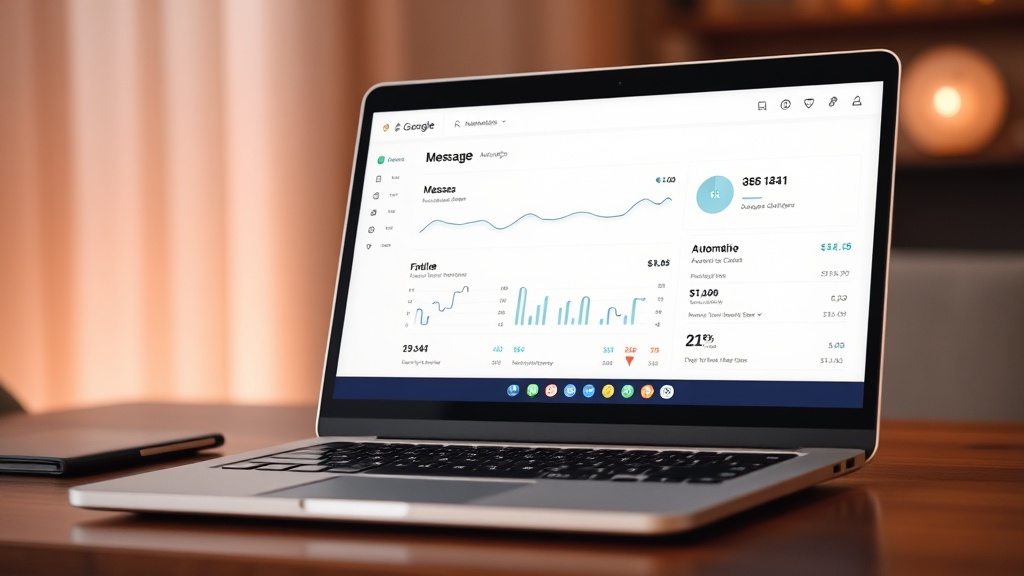
Step 3: Set Up Message Automations
Configure when messages send:
Booking confirmed → Immediate confirmation + what to expect next
48 hours before check-in → Pre-arrival details (address, parking, local tips)
Morning of check-in → Access codes and WiFi
2 hours after check-in → Welcome message + "everything okay?"
Day 2-3 (for 4+ night stays) → Mid-stay check
Day before checkout → Checkout reminder + instructions
Morning of checkout → Final reminder
24 hours after checkout → Thank you + review request
Each message template pulls from your knowledge base automatically. Guest named Maria checking in Thursday? "Hi Maria, your check-in is tomorrow (Thursday)..."
Step 4: Configure AI Response Settings
Tone: Choose casual, professional, or friendly (affects how AI phrases responses)
Auto-response triggers: Define what types of questions AI handles automatically vs. escalates:
- WiFi questions → Auto-respond
- Check-in time → Auto-respond
- Local recommendations → Auto-respond
- Maintenance issues → Escalate
- Complaints → Escalate
- Special requests → Escalate
Response time: Set expectations. "I typically respond within 1 hour" during your active hours, "I'll respond in the morning" overnight.
Notification preferences: How do you want escalations delivered? SMS? Email? Telegram? Push notification?
Step 5: Test the System
Before going live, run test scenarios:
Test 1: Send yourself a "what's the wifi password?" message. Does AI respond correctly and instantly?
Test 2: Ask "can I check in at noon instead of 3pm?" (special request). Does it escalate to you?
Test 3: Report a fake maintenance issue. Does it notify you immediately?
Test 4: Check that scheduled messages trigger at the right time (use a test booking if possible).
Fix anything that's off. Adjust tone if it sounds too robotic or too casual.
Step 6: Go Live & Monitor
Activate automation for real bookings. For the first week, monitor closely:
- Are messages sending at the right time?
- Are AI responses accurate and helpful?
- Are guests responding positively?
- Are the right messages being escalated?
Tweak templates, timing, and escalation rules based on real feedback.
Step 7: Iterate & Improve
After a month, review:
- Which questions are guests still asking that AI should handle?
- Which auto-responses need better phrasing?
- Are any escalations unnecessary? (AI should handle them)
- Are any auto-responses causing confusion? (should escalate instead)
Update your knowledge base and templates. The system gets better as you refine it.
Time investment:
Initial setup: 30-45 minutes per property
Ongoing refinement: 10-15 minutes per month
Time saved:
2-3 hours per day minimum. That's 60-90 hours per month.
Common Mistakes (And How to Avoid Them) ⚠️
Mistake 1: Over-Automating
You automate everything, including things that should stay human. Guest compliments your decor? Automated "thank you" feels cold. Guest shares they're celebrating an anniversary? Automated response misses the opportunity to create a memorable moment.
Fix: Set boundaries. Automate logistics and FAQs. Keep relationship-building human.
Mistake 2: Robotic Tone
Your automated messages sound like this: "Dear Guest, Your check-in time is 1500 hours. Please adhere to quiet hours policy. Sincerely, Host."
Fix: Write like you talk. Use contractions. Be warm. "Hey Sarah! Check-in is after 3pm. If you arrive early, no worries — you can drop bags and explore. See you tomorrow! 😊"
Mistake 3: No Escalation Strategy
AI tries to handle everything, including complaints it can't resolve. Guest gets frustrated repeating themselves.
Fix: Define clear escalation rules. When in doubt, escalate. Better to over-involve yourself early than under-involve and damage the relationship.
Mistake 4: Set-It-And-Forget-It Mentality
You set up automation in January, never look at it again. By June, your WiFi password changed, your checkout time changed, your favorite restaurant closed. Messages are outdated.
Fix: Monthly review. Update knowledge base when anything changes. Check message logs to spot recurring questions that should be added to automation.
Mistake 5: Ignoring Guest Feedback
Guest says "I asked about parking three times and kept getting the same generic answer." Your automation isn't working, but you're not listening.
Fix: Monitor reviews and direct feedback. If multiple guests mention communication issues, your automation needs fixing.
Mistake 6: Using Automation as an Excuse to Be Unresponsive
You rely so heavily on automation that when something DOES need you, you're slow to respond. Defeats the purpose.
Fix: Set notification alerts for escalations. Respond to escalated messages within 15-30 minutes during waking hours. Automation should make you MORE responsive, not less.
Measuring Success: Are Your Automations Working? 📈
Don't automate blindly. Track these metrics to know if it's working:
Response Time
Before automation: Average 2-4 hours
Target after automation: Under 5 minutes for automated questions, under 30 minutes for escalated questions
Check Airbnb's host dashboard for response rate and time stats.
Time Spent on Messages
Track honestly: how many hours per week are you spending on guest communication?
Before: 14-21 hours
Target after: 3-5 hours (only handling escalations and relationship-building)
Guest Satisfaction (Review Scores)
Specifically track communication-related review mentions:
- "Host responded quickly"
- "Great communication"
- "Very helpful with questions"
Target: 95%+ of reviews mention positive communication experience.
Booking Conversion
If you're automating pre-booking inquiries, track:
Inquiry-to-booking conversion rate
Faster, more helpful responses should increase conversion. If conversion drops after implementing automation, your responses might be too robotic or unhelpful.
Escalation Rate
What percentage of messages require human intervention?
Target: 10-20%
Higher than 20%? Your automation knowledge base needs more detail.
Lower than 10%? You might be over-automating and missing personal touches.
Guest Questions Avoided
How often are guests asking questions that should be covered in automated pre-arrival/check-in messages?
Example: You send WiFi password in automated check-in message. Guests should stop asking "what's the wifi?"
Track how many guests still ask. If it's more than 10%, your automated message either isn't being read (timing issue?) or isn't clear enough (formatting issue?).
Advanced Tips for Power Users 💡
Once you've got basics running smoothly, level up with these strategies:
Segment by Guest Type
Create different message templates for:
- Families: Emphasize kid-friendly features, nearby playgrounds, high chairs
- Business travelers: Workspace setup, strong WiFi, quiet environment, quick breakfast spots
- Couples: Romantic restaurants, sunset viewpoints, privacy/quiet
- Groups: House rules about noise, parking for multiple cars, space for gathering
Your AI can detect guest type from booking data (number of guests, ages if provided) and adjust messaging automatically.
Use Dynamic Upsells
Automate revenue-generating offers:
Early check-in message: "Want to arrive before 3pm? Early check-in available for €20."
Mid-stay message: "Staying longer? I have availability through [date] at [discounted rate]."
Checkout message: "Leaving something behind? I can ship it to you for €15."
The best time to sell is when the guest is already happy with your property.
Build a Local Recommendations Database
Go beyond generic "here are some restaurants." Build a detailed database:
Restaurants:
- Name, cuisine, price range, distance
- Best for (families, date night, quick lunch, vegetarian)
- Reservation needed? (yes/no + booking link)
Activities:
- Name, type, cost, duration
- Best for (kids, adults, rainy day, sunny day)
- Booking required?
Practical:
- Grocery stores (closest, cheapest, best selection)
- Pharmacies
- ATMs
- Gas stations
When a guest asks "what should we do tomorrow?" AI pulls relevant options based on their group type, weather forecast, and preferences mentioned earlier in conversation.
Pre-Empt Common Issues
Don't wait for guests to ask. Automate proactive messages:
WiFi isn't fast? Send message: "Heads up — WiFi here is good for browsing and email, but if you're doing video calls or streaming, best connection is in the living room near the router."
Tricky lock? Send message: "The front door lock can be finicky — turn the key slowly and pull the door toward you slightly while turning. Let me know if you have trouble!"
Street parking? Send message: "Parking on this street is free but fills up after 7pm. If you arrive late and can't find a spot, there's a public lot 2 minutes away at [address]."
Gets ahead of frustration.
Multilingual Support
If you host international guests, set up automation in multiple languages.
Most AI tools auto-detect guest language and respond accordingly. You provide knowledge base in English, AI translates on the fly.
Or, if you have recurring guest demographics (lots of French guests?), create French-specific templates for higher quality.
Integrate with Your Full Hosting Stack
Connect automation to:
- Calendar: Auto-adjust messaging if check-in day changes
- Smart locks: Send access codes that sync with actual lock codes
- Cleaners: Notify cleaning team when checkout confirmed
- Maintenance: Auto-create work orders when guest reports issues
The more integrated your system, the less manual coordination you do.
The Bottom Line: Is Airbnb Message Automation Worth It? 💬
If you're managing 1 property casually and enjoy chatting with guests, maybe not. Manual messaging is manageable.
But if any of these apply:
- You have 2+ properties
- You have a day job and host part-time
- You're scaling your hosting business
- You're tired of answering "what's the WiFi?" 200 times a year
- Your response time is hurting your Airbnb ranking
- You want to travel without being glued to your phone
Automation isn't optional. It's essential.
The hosts who resist automation today are the ones who'll burn out or cap at 2-3 properties. The hosts who embrace it are the ones scaling to 10, 20, 50 properties while working fewer hours than they did with just one.
You're not replacing the human touch. You're protecting it.
When you're not drowning in "where do I park?" messages, you have bandwidth for what actually matters: the guests who need real help, the personal touches that earn 5-star reviews, the strategic work that grows your business.
Start small. Set up 3-4 scheduled messages this week. Booking confirmation, pre-arrival info, check-in instructions, checkout reminder. See how it feels.
Then layer in smarter automation. Let AI handle WiFi questions. Let it send local recommendations. Let it screen messages so you only see the ones that need you.
Three months from now, you'll wonder how you ever managed without it.
Frequently Asked Questions
Does automating Airbnb messages hurt my response rate?
No — it improves it. Airbnb measures response time and rate. Automated messages respond in seconds, even at 2am. Your stats improve, your search ranking improves, you get more bookings. Manual messaging can't compete with instant 24/7 availability.
Will guests know I'm using automation?
Only if you make it obvious. Well-configured automation sounds natural and personal. Use the guest's name, reference their specific dates, match your usual tone. Most guests won't know or care — they just want fast, helpful answers.
Can I still send personal messages while using automation?
Absolutely. Automation handles the repetitive baseline. You add personal touches on top. See a guest mentioned they're celebrating something? Send a manual congrats message. Notice they're from your hometown? Manual message about that. Automation frees you to be MORE personal where it counts.
What if automation sends the wrong information?
That's why you test first and monitor closely in early weeks. Review all templates before going live. Check that property details in your knowledge base are accurate. Run test messages. Once dialed in, errors are rare — more rare than human mistakes (ever forgotten to send check-in instructions?).
How much does Airbnb message automation cost?
Airbnb's built-in scheduled messages: Free
Zapier/IFTTT: $0-50/month depending on usage
AI-powered tools (HolaAI, Hospitable, Guesty): €15-50/month per property typically, with volume discounts
ROI calculation: If automation saves you 15 hours/month and your time is worth €20/hour, that's €300/month value. Even at €50/month cost, you're ahead €250.
Can automation handle maintenance emergencies?
No, and it shouldn't. Good automation escalates emergencies immediately. Guest reports broken heat, no water, gas smell? You get instant notification and respond personally within minutes. Automation handles "where's the extra toilet paper?" so you have bandwidth for real emergencies.
Ready to reclaim your time and scale your hosting business? Start your free 30-day pilot with HolaAI — set up automated Airbnb messages in under 15 minutes and see how much time you save in the first week.
No credit card required. Full access to AI-powered guest messaging, smart templates, and 24/7 auto-responses. If it doesn't save you hours in the first month, it's not working — but it will.
See how HolaAI compares
- HolaAI vs Hospitable � Full AI at every plan, not just the /mo tier
- HolaAI vs Hostaway � Self-serve signup vs weeks of onboarding
- HolaAI vs Guesty � 10-minute setup vs enterprise complexity